
The day’s run, on a map, in the driver’s hand
Every stop in the order it should be driven. The next one pinned, with navigation and the customer’s number one tap away. Proof of delivery that sends itself when the signal comes back. And a nudge when the office changes the run — so nobody has to phone anybody.
Runs in any phone browser today. iPhone app coming soon — waiting on Apple’s developer verification.
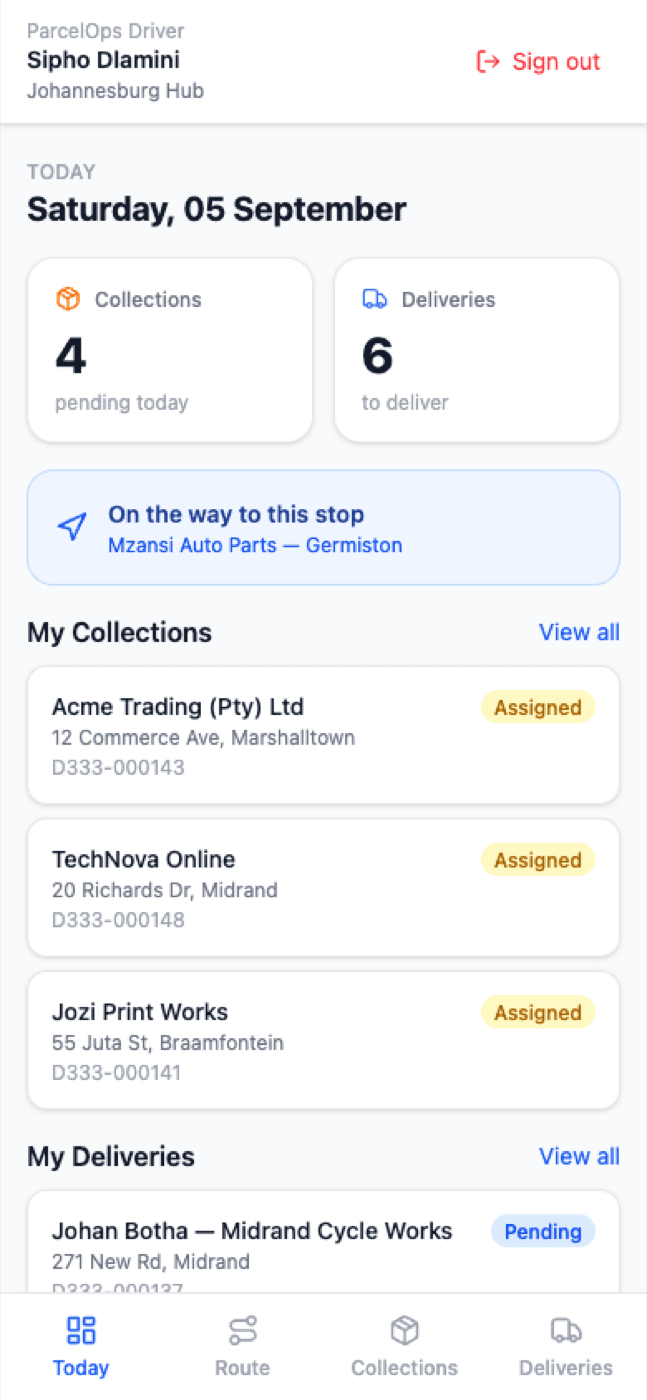
ParcelOps Driver
Sipho Dlamini
Johannesburg Hub
Then
Jozi Print Works
55 Juta St, Braamfontein
Naledi Sithole
42 4th Avenue, Parkhurst
Naledi Sithole
42 4th Avenue, Parkhurst
Mzansi Auto Parts
14 Refinery Rd, Germiston
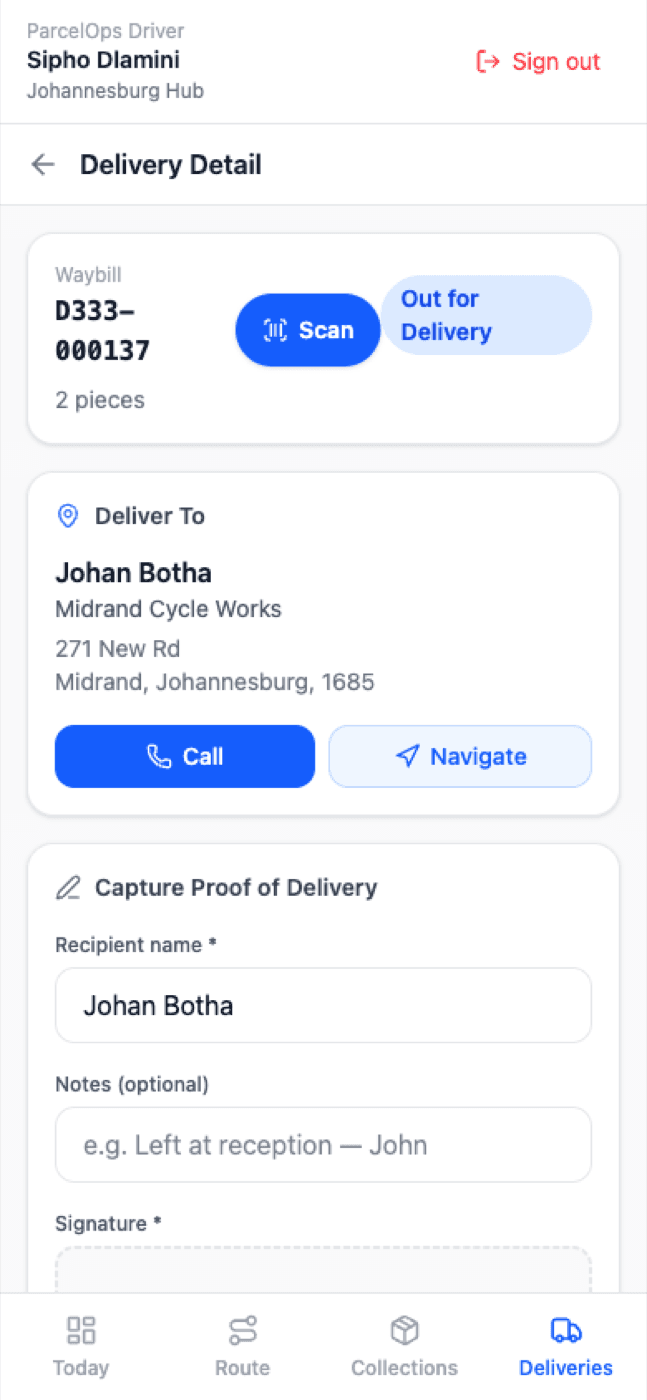
Waybill
D333-000137
2 pieces
Deliver To
Johan Botha
Midrand Cycle Works
271 New Rd, Midrand, Johannesburg, 1685
Capture Proof of Delivery
Sign here
Any phone browser
Open drivers.parcelops.co.za on Android or iPhone and add it to the home screen. It opens full-screen with its own icon.
Android app
The installed app adds push notifications and background location so tracking keeps working with the screen locked.
iPhone app
Same app, same features. We are waiting on Apple's developer verification and will announce the day it clears.
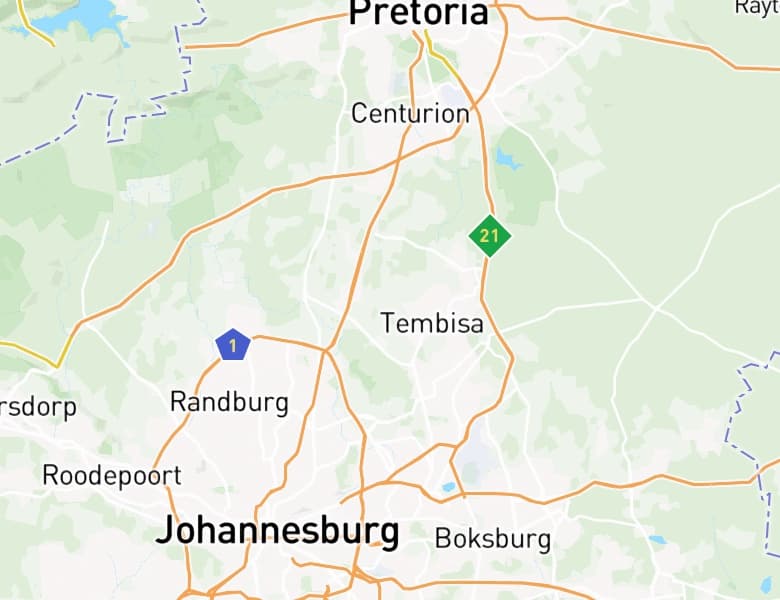
The whole run on one map
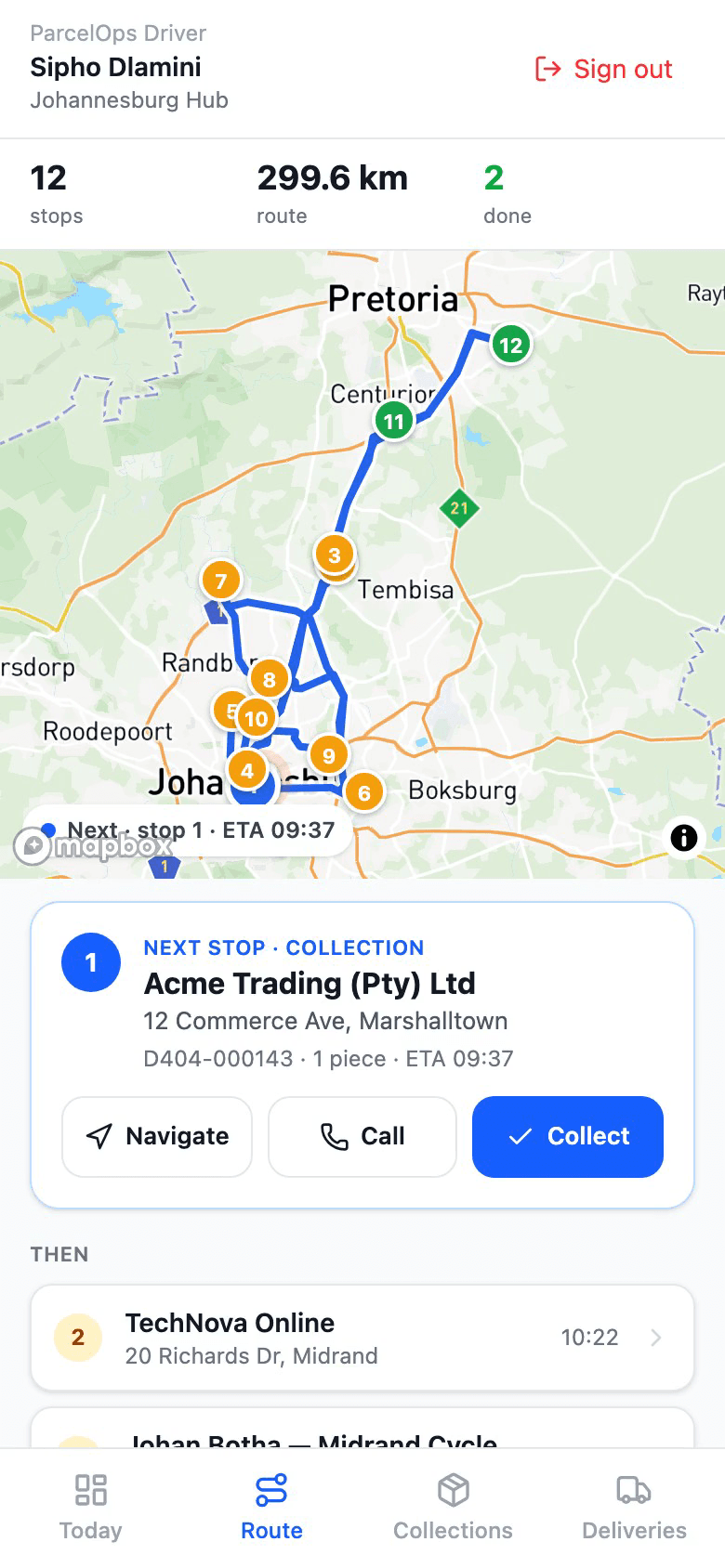
The Route tab draws the day on real South African roads: every stop numbered in driving order and coloured by status — done, next, still to do, failed. The next stop sits pinned beneath the map with everything the driver needs for it.
- Stops in the optimised order, with an ETA on each
- Next stop pinned: address, waybill, pieces, one-tap Navigate and Call
- Navigate opens Google Maps directions to the door
- Collections and deliveries on the same run
- The same order the dispatcher sees on the office map
Proof of delivery that never gets lost
Basements, rural roads, load-shedding towers — signal comes and goes. The app captures the proof anyway, marks it 'Proof saved · sending', and sends it the moment the phone is back online. The office sees it seconds later; the driver never retypes a thing.
- Recipient name, signature and photo on every delivery
- Failed delivery: reason, photo and GPS position
- Collection outcomes captured the same way
- Barcode scan at collection and at the door
- Queued proofs send themselves when signal returns
When the run changes, the phone knows
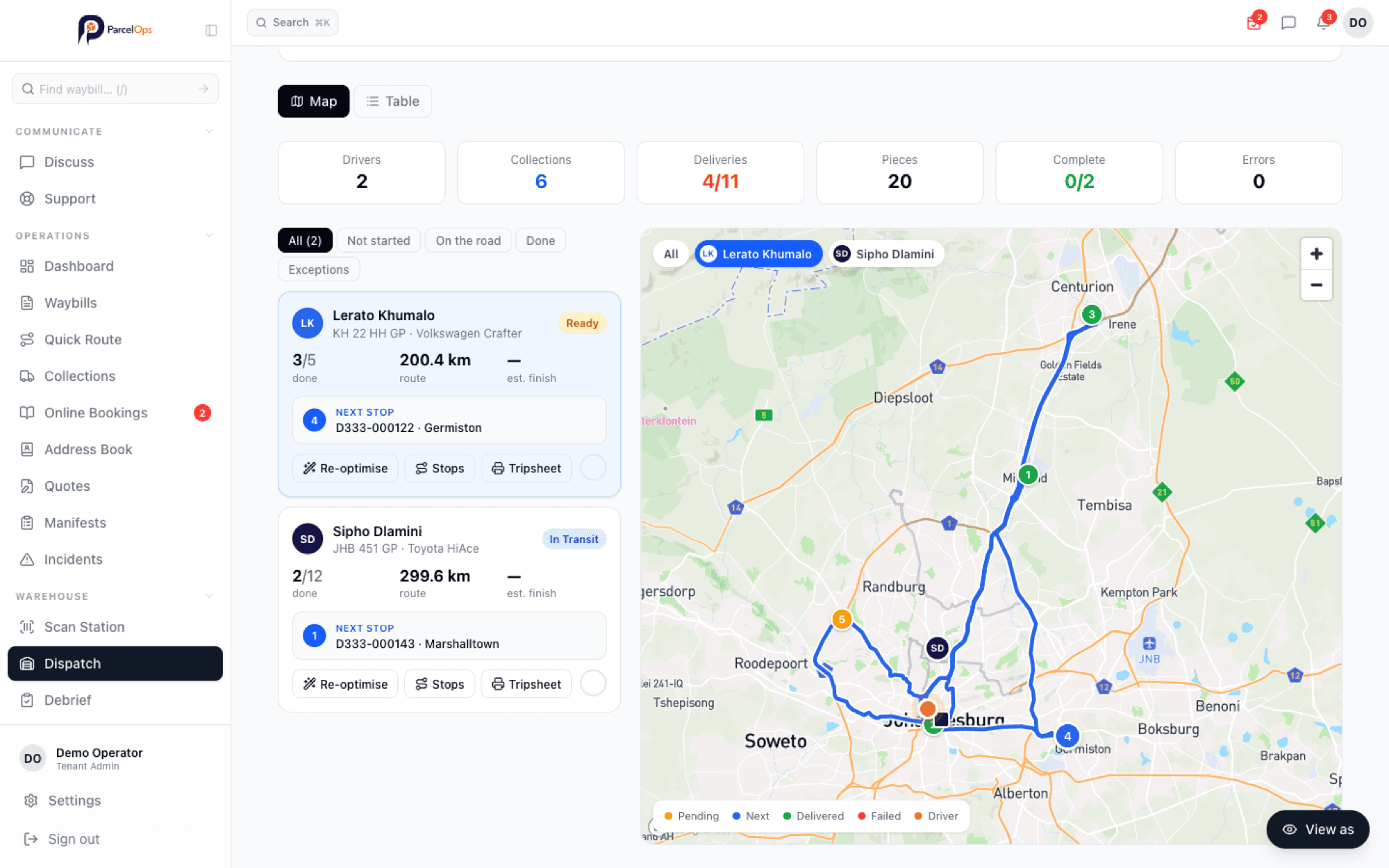
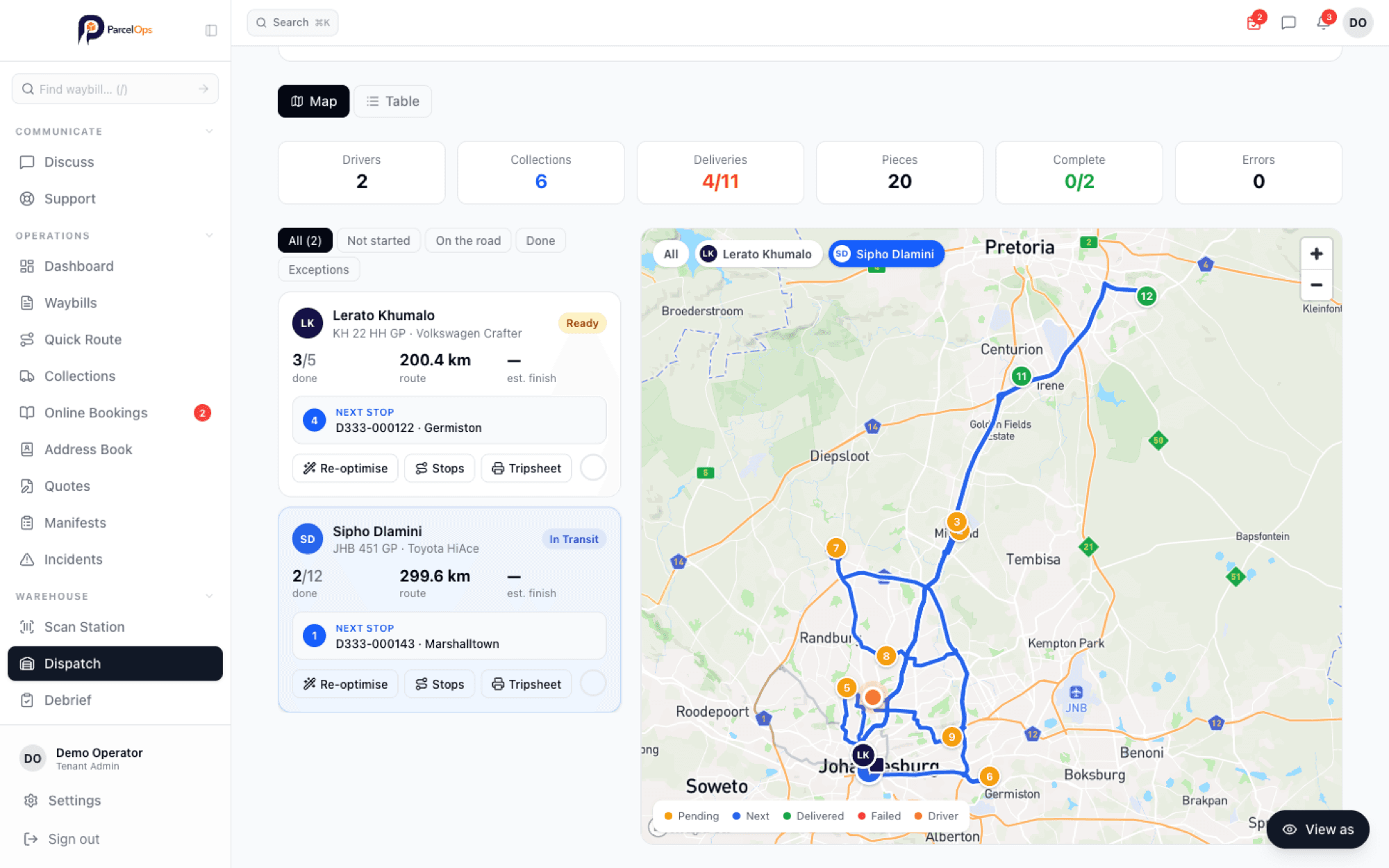
A same-day booking lands and the dispatcher drops it onto the run. The route re-plans, the driver's map updates, and on the installed app a notification says how many stops were added. The office watches the same map: each driver's position, next stop and progress, live.
- Push notification when stops are added or the run is re-planned
- Driver position shared to the office map while the app is open
- Dispatcher selects a driver and sees their route, next stop and progress
- Trip sheet PDF and the map image for the paper crowd
The app
Everything a driver needs, nothing they don’t
Four tabs — Today, Route, Collections, Deliveries — and big buttons that work with one thumb in a moving van.
One-tap navigation
Straight into Google Maps directions for the next stop.
Call the customer
The recipient's number is on the stop, not in a spreadsheet.
Scan with the camera
Barcodes at collection and delivery, no scanner hardware.
Signature and photo
Proof of delivery the office can send to the customer.
Questions
Driver app questions
Which phones does the ParcelOps driver app work on?+
Any modern Android phone or iPhone. Today drivers open drivers.parcelops.co.za in their phone's browser and add it to the home screen — it then opens like an app, full-screen, with its own icon. Native Android and iPhone apps are on the way; the iPhone app is waiting on Apple's developer verification and will be announced as soon as it is through.
What happens when a driver loses signal?+
The app keeps working. A proof of delivery, a failed-delivery report or a collection outcome captured without signal is saved on the phone with a 'Proof saved · sending' marker, and sends itself the moment the phone is back online. Nothing is retyped and nothing is lost in a basement or a rural dead zone.
Does the driver see the route on a map?+
Yes. The Route tab shows the whole run on a map — every stop numbered in the order it should be driven, coloured by status, with the next stop pinned underneath and one tap to navigate to it in Google Maps or phone the customer. The same order the dispatcher sees on the office map.
How does a driver know the run has changed?+
When the office adds stops to a run or re-plans it, the driver's phone is told. On the installed app that arrives as a push notification; in the browser the Route tab refreshes with the new order. Either way, nobody has to phone the driver.
Can drivers scan waybills and capture signatures?+
Yes. The camera scans barcodes at collection and delivery, proof of delivery takes a recipient name, signature and photo, and a failed delivery records the reason, a photo and the GPS position so the office can see exactly what happened.
Is there a per-driver fee?+
No. ParcelOps is billed on waybills processed, with unlimited drivers and users. Adding a driver is a two-minute invite from the Team page.
Get started
Put the run in your drivers’ hands this week
Invite a driver from the Team page, send them the link, and the next run is on their phone. Free trial, no credit card, unlimited drivers.