
Full platform overview
Every tool your courier business needs
ParcelOps is a complete freight management platform, not a collection of bolt-on modules. Everything works together.
Waybill Management
The heart of your operation. Create waybills one at a time, on the fast keyboard grid or in bulk, print labels and piece stickers, scan every parcel and capture proof of delivery. Full chain of custody from collection to delivery.
- Barcode labels and piece stickers, scanned at every step
- Proof of delivery: signature, photos or scanned paper
- Fast capture: a keyboard-only grid for many waybills
- Special instructions & handling flags
- Notes & full event history on every waybill
- Bulk CSV import (template + dry-run validation)
Collections & Dispatch
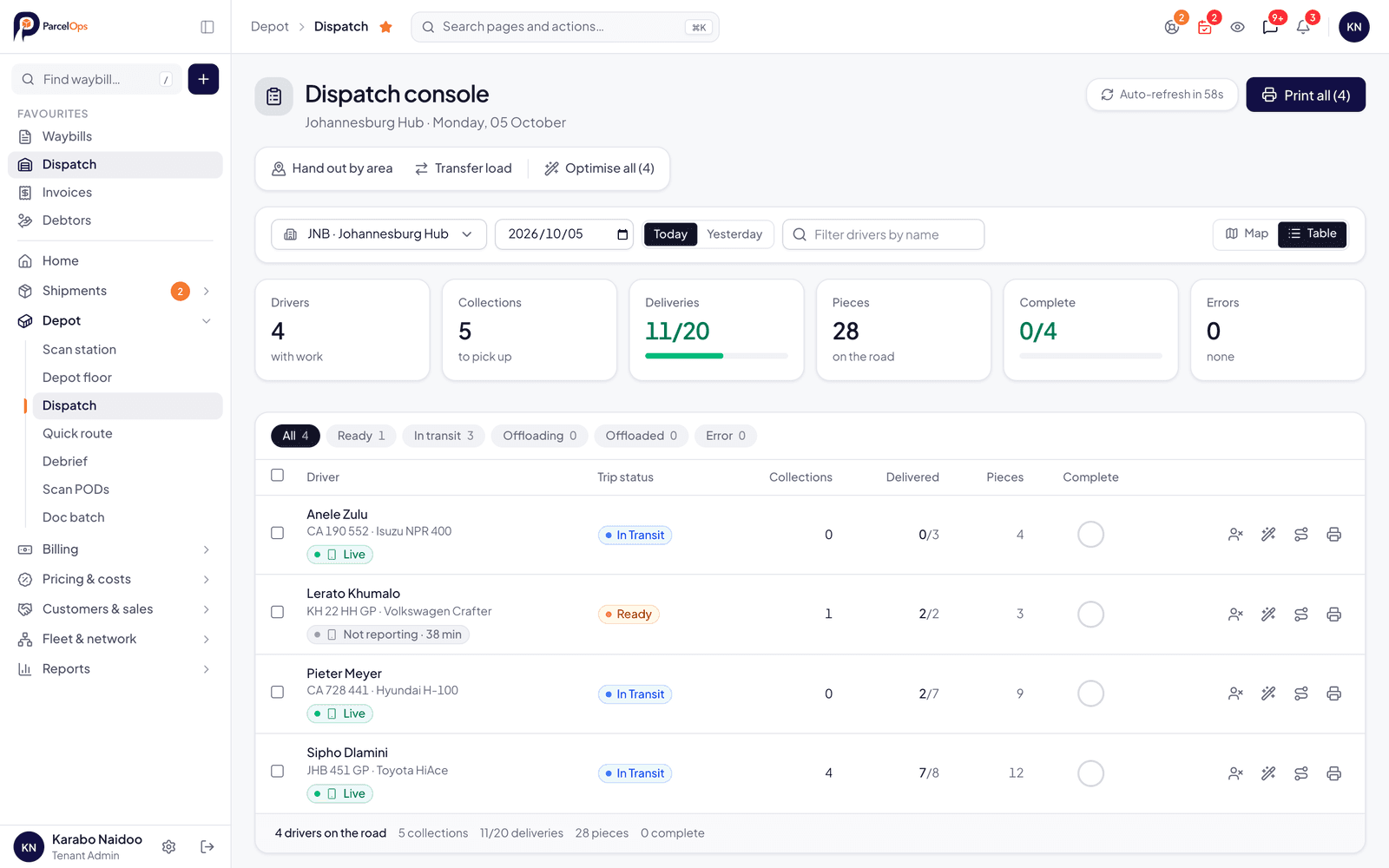
Manage inbound collections and dispatch runs to drivers. Schedule, assign and track every collection, with every driver's day on one live map and a clear view of how each phone is doing.
- Collection scheduling, including regular collections with holidays, pause and skip
- Driver assignment & dispatch
- Every driver's run on one live map: next stop, position, progress
- Manifests & printable trip sheets (PDF)
- Quick Route: type the stops, get the optimised run and map
- Failed collection management
The daily control
The Undelivered report
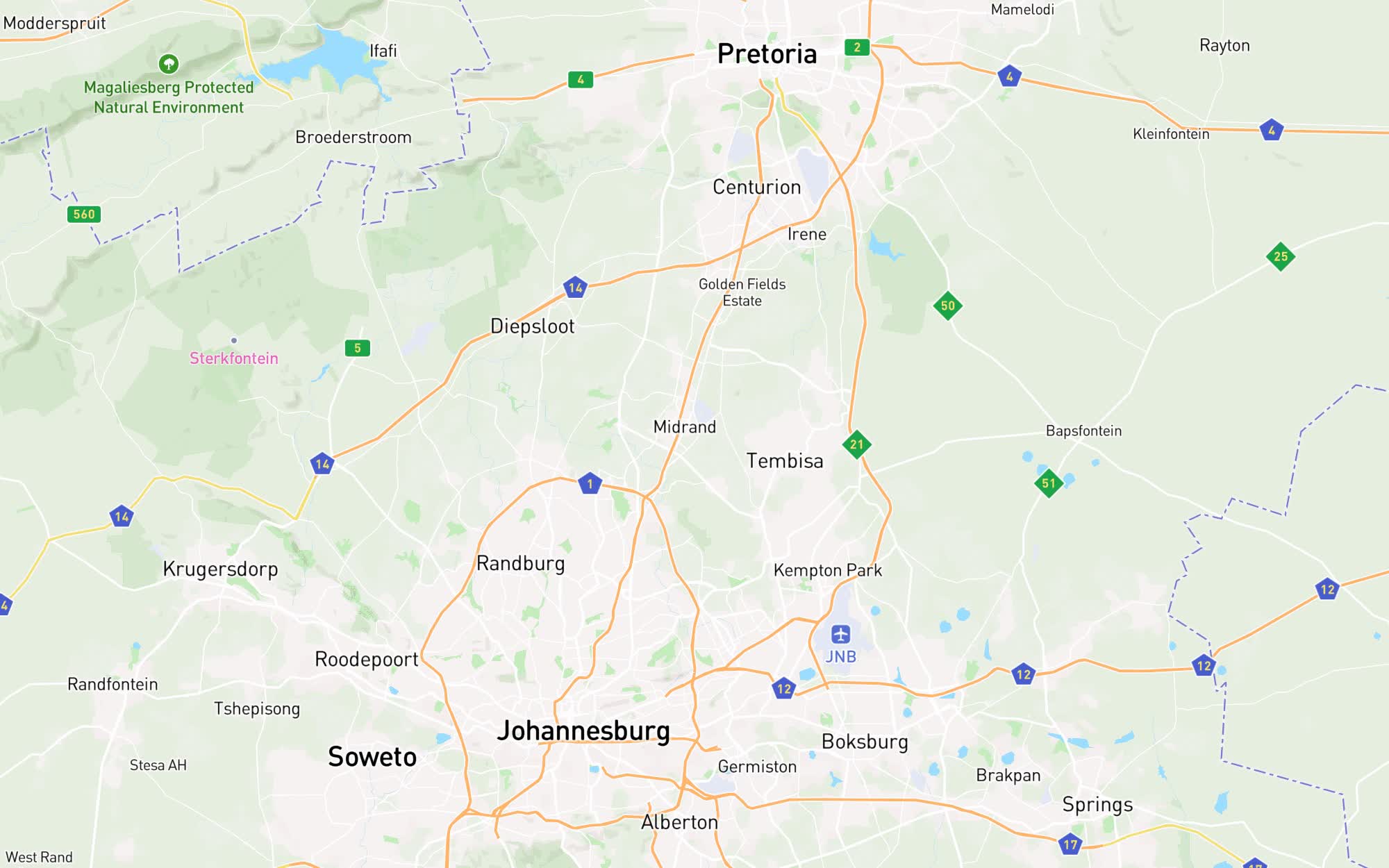
Every parcel that is not delivered yet, on one screen: how long it has been out, why it is stuck, where it is standing right now and what to do next. Start the morning here and work the list down to “On zero”.
- How long
- Days since collection and since it last moved, oldest first.
- Why
- A reason on every parcel: nobody home, address problem, awaiting payment, damaged and more.
- Where
- In a cage, on the floor, on a vehicle, or not located yet.
- What next
- Give it an owner, add a note, close it with a reason. The trail stays on the waybill.
- A clear verdict at the top: “On zero”, or how many parcels nobody can account for
- Parcels that look lost, stuck or wrong are flagged for you, not found by a customer first
- Found it? Scan it into a cage or onto the floor from the report and the query closes itself
- Filter by depot, customer, driver or service, and download to Excel, CSV or PDF
Real-Time Driver Tracking
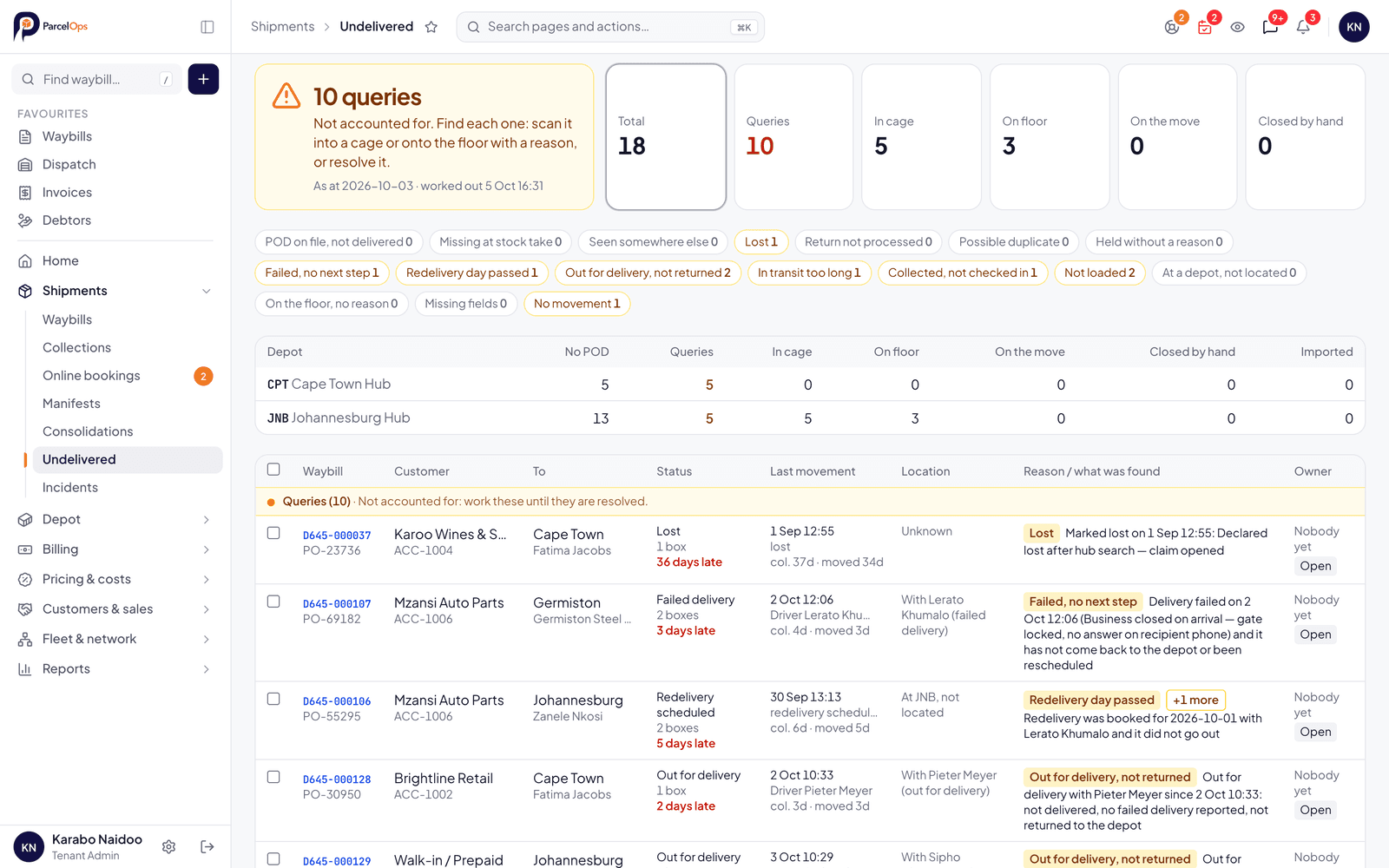
Live GPS tracking for all drivers. Your ops team sees the whole fleet in real time, with no extra hardware: each driver's position, route, next stop and progress.
- Live GPS position updates
- Select a driver: their route, next stop and progress on the map
- Phone status on the board: app open, location on, day finished
- Driver availability, including “Off today, covered by”
- Delivery attempt recording
- Mileage & activity logging
Proof of delivery, on paper or on the phone
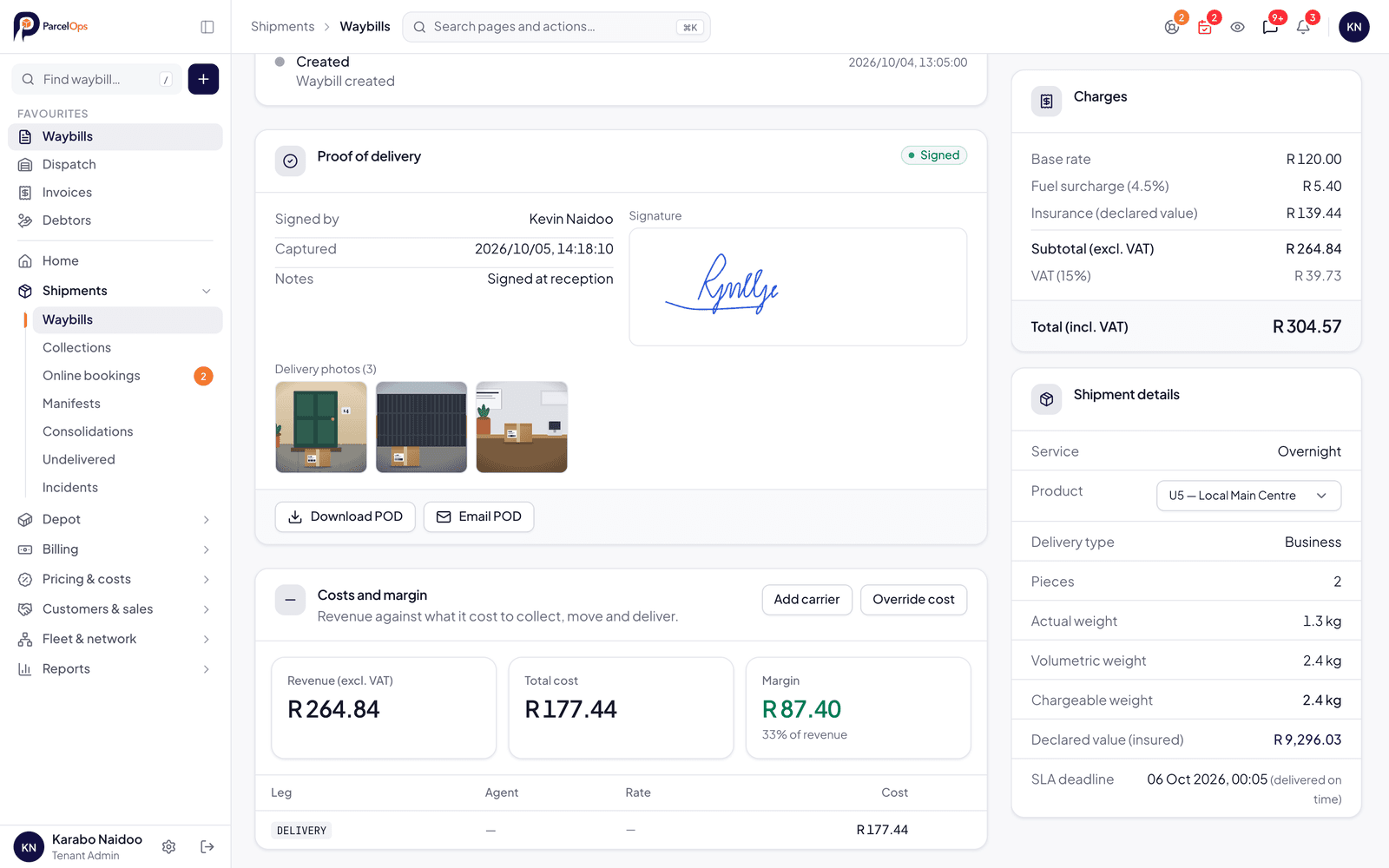
Your drivers capture a signature and up to three photos. If nobody can sign, a photo of where the parcel was left is the proof. Signed paper PODs? Scan the pile, type the waybill number, and each page is filed against its waybill and on its way to the customer.
- Photo-only proof: “left at Security”, with the photo to show for it
- Scanned paper PODs filed at the keyboard, one waybill number at a time
- Scan to email: your scanner sends its pages straight to a waiting list
- A POD handover report and email for each customer after every batch
- Missing PODs by branch, and the paper copies still to be filed
Driver App
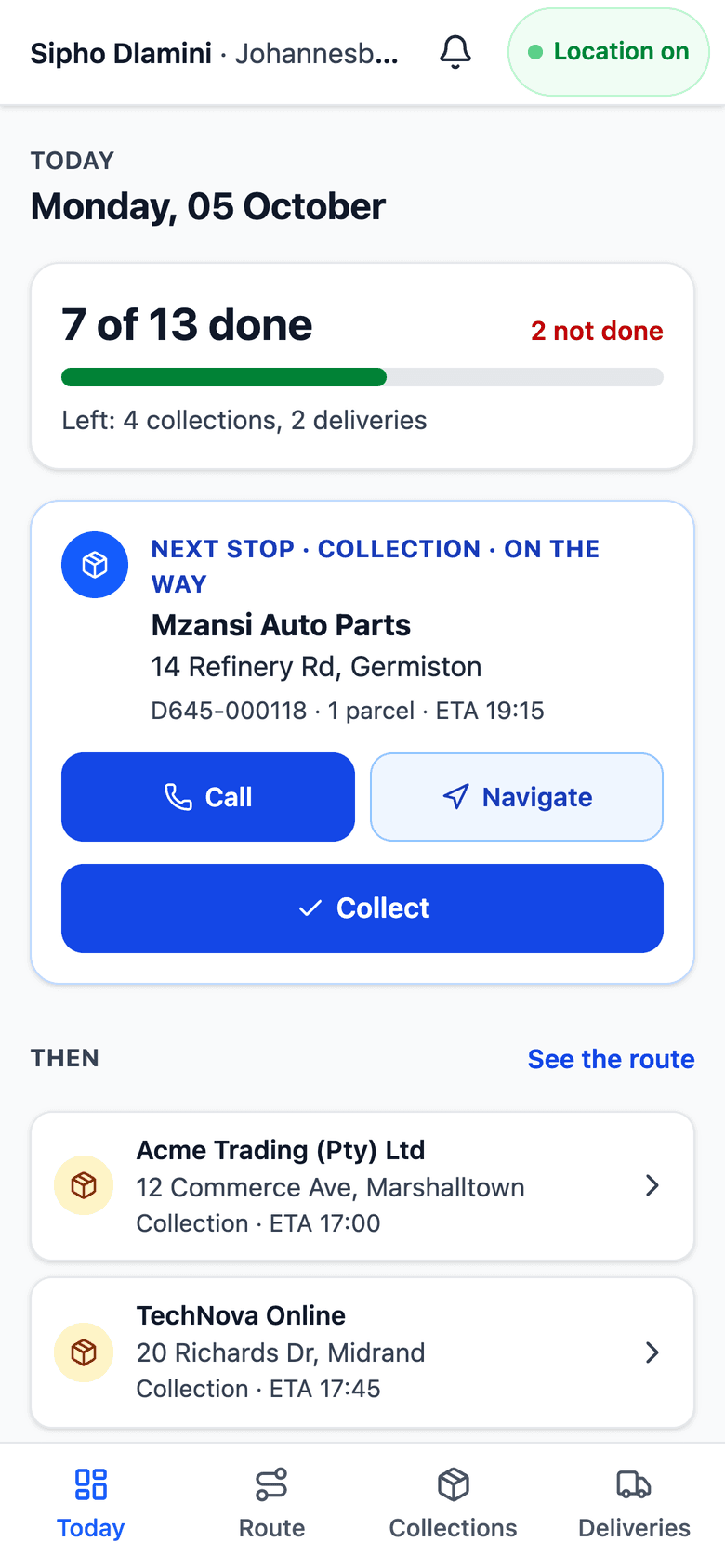
The day's run in the driver's hand. You send a link on WhatsApp, the driver chooses a PIN and signs in with a mobile number, no email needed. Every stop in driving order, the next one pinned, and proof that sends itself when the signal returns. The app is on the App Store and Google Play, and it also runs in any phone browser.
- WhatsApp link and PIN sign-in, set up from Fleet > Drivers
- Today: progress through the run and the next stop pinned
- Call, WhatsApp or navigate in the phone's own maps app or Google Maps
- Works without signal: proofs queue and send themselves
- Signature, photos or photo-only proof; one-tap reasons when a parcel cannot be delivered
- Finish day: what was done, what to bring back, and the notes the office sent
Rate cards that keep up
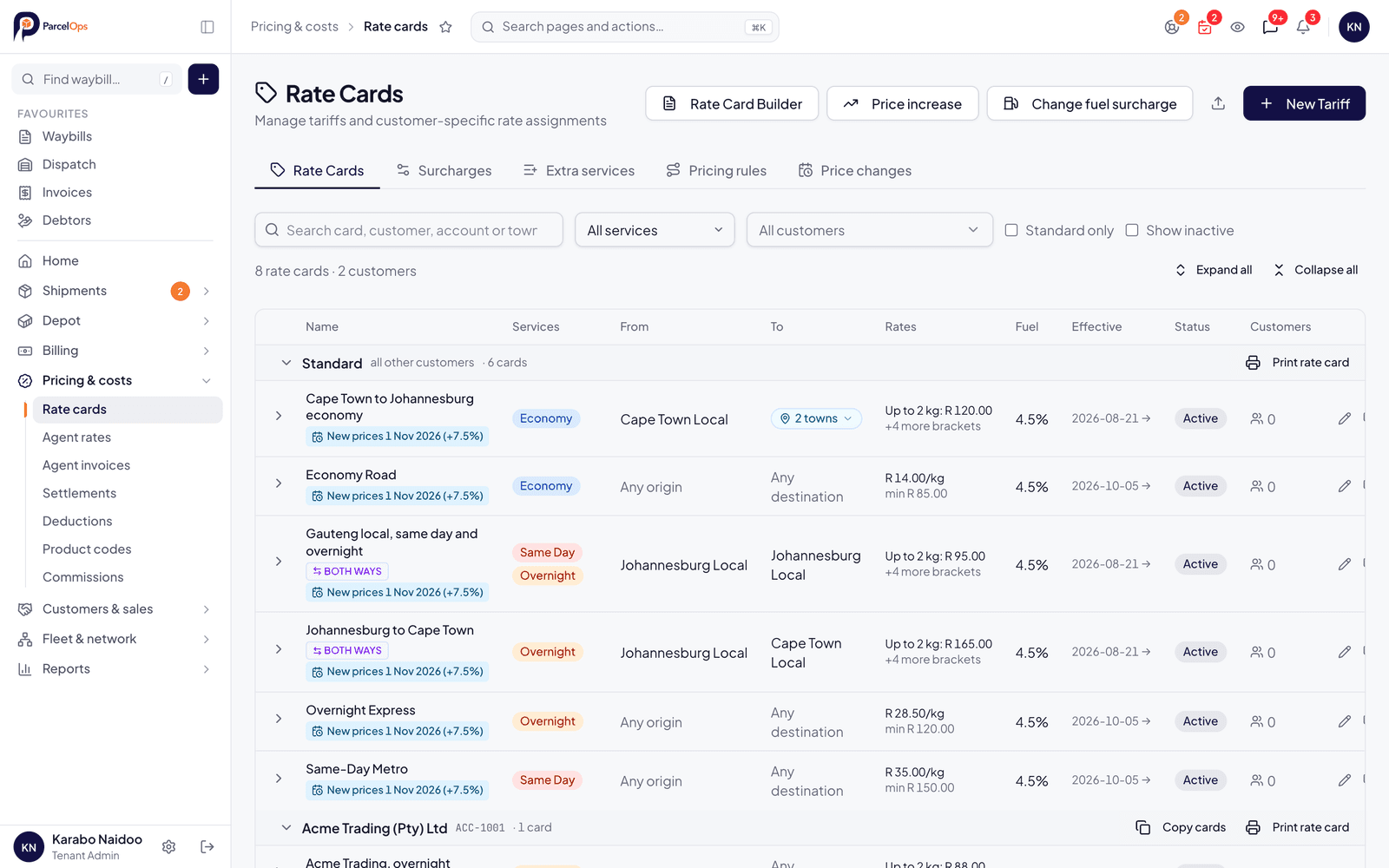
Fuel went up? Change it on every card in one go. Annual increase? Set it once, with the date it starts. Town surcharges, tolls and extra services such as after hours, farm or township price themselves. Send a customer their own rate card as a PDF.
- Change the fuel surcharge across all cards at once, with a preview first
- Dated price increases: schedule a percentage or an amount for a start date
- Past waybills are re-rated at the prices that applied on their date
- Town surcharges at either end of a lane, and tolls on weight brackets
- Extra services ticked per waybill, with a customer's own price where needed
- Cards for sets of services and towns, per-customer cards, clone and bulk re-rate
- A customer's rate card as a PDF
Invoicing & Billing
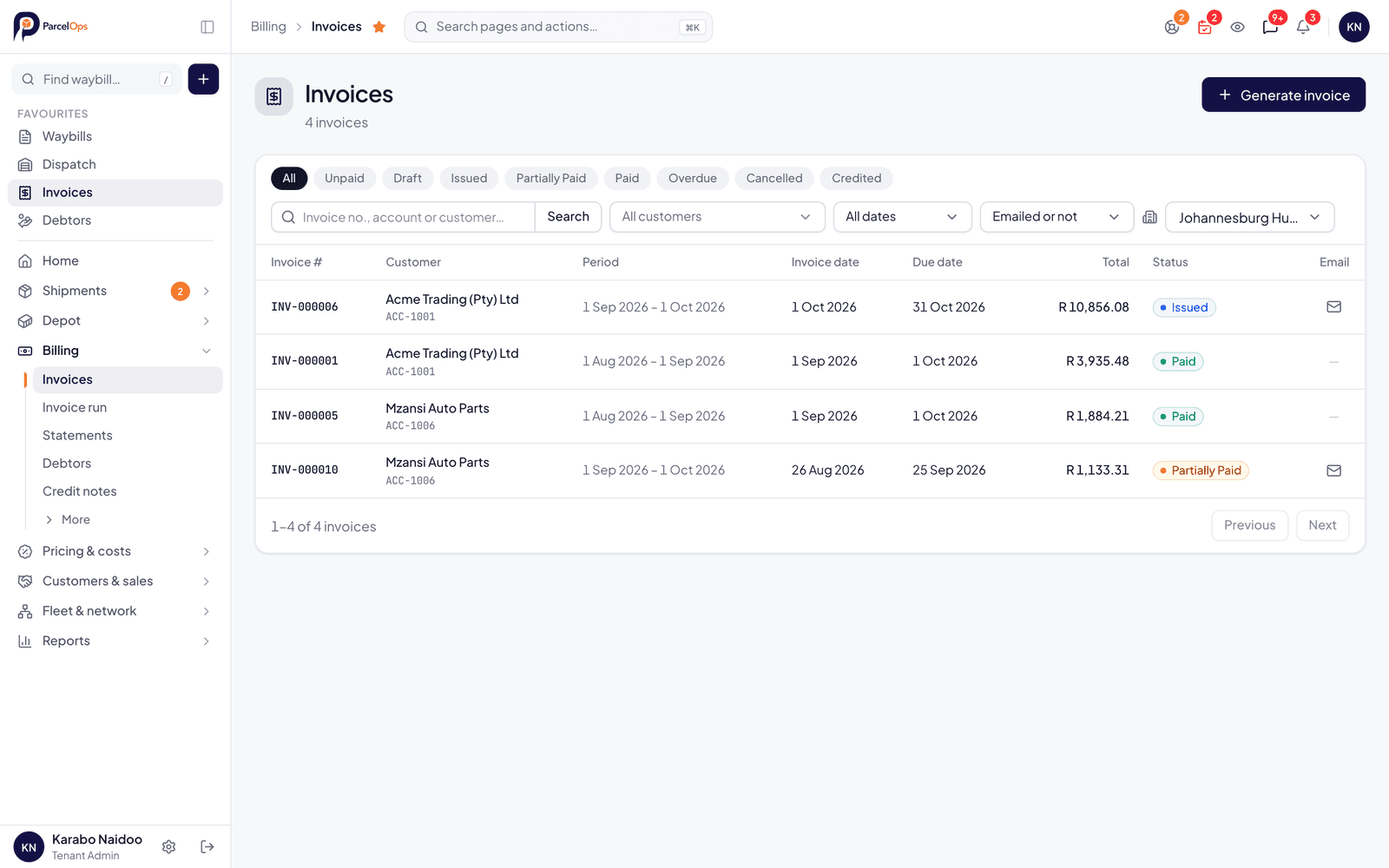
Automated invoice generation at month-end or on demand. Apply tariffs, surcharges and VAT correctly every time. Your customers pay online from the invoice, statement or quote, into your own PayFast or Paystack account.
- Automated period invoicing
- Month-end checks before you invoice
- Custom tariff application
- Surcharges & fuel levies
- PayFast & Paystack payments
- Accounting export (Pastel, Sage, Xero)
- Invoice PDF generation
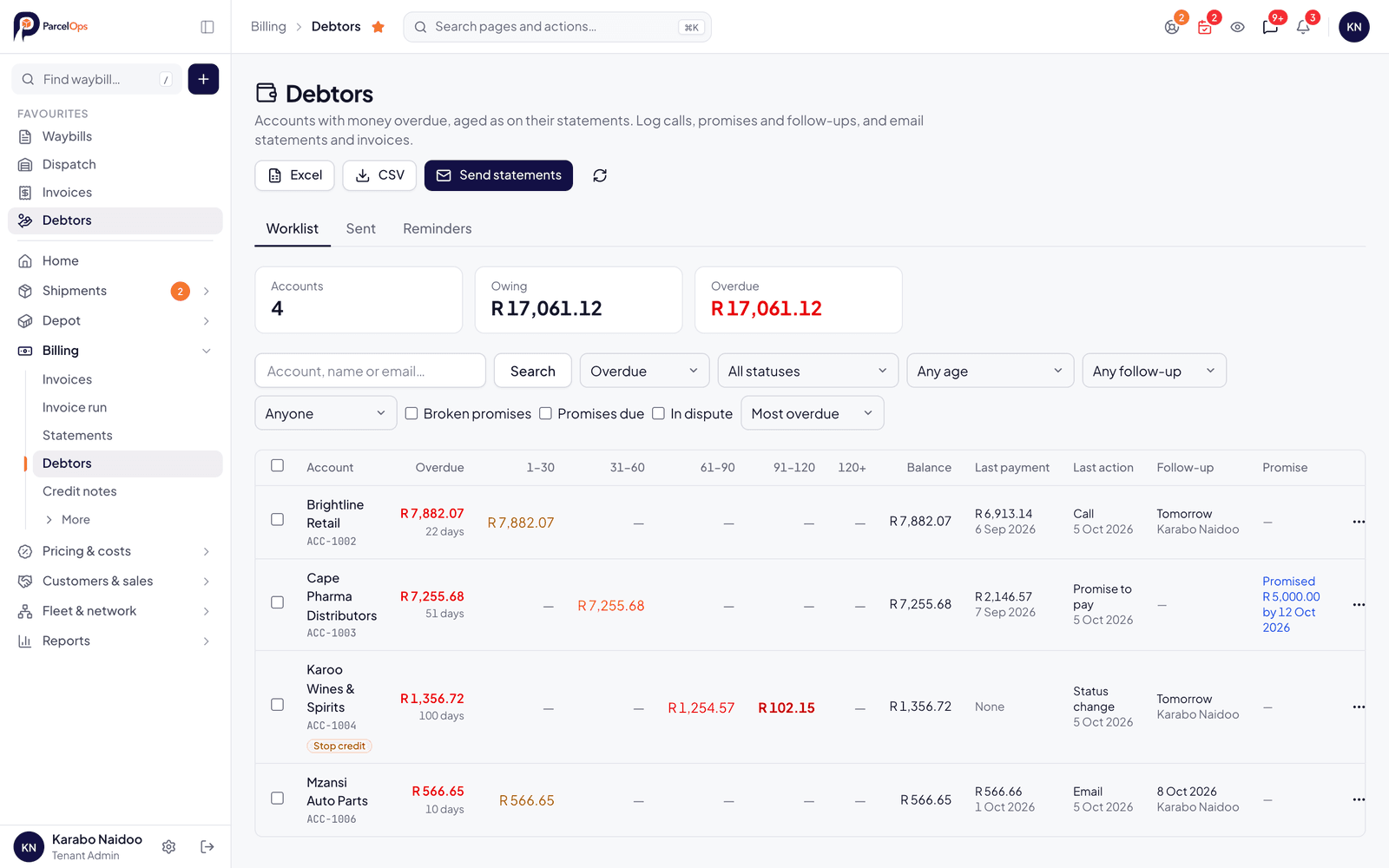
Debtors and statements
See who owes what and how old it is. Log the call and the promise, send every overdue statement in one go, and pause account bookings when an account is closed.
- A worklist of overdue accounts with their ageing
- Calls, notes and promises to pay, each with a follow-up day and an owner
- Statements and invoices sent in bulk, with a confirmation before anything goes out
- Account status: stop credit, handed over or closed pauses new bookings on account
- Staff can book anyway with a reason, and it is audited
- Credit limits that only finance can change
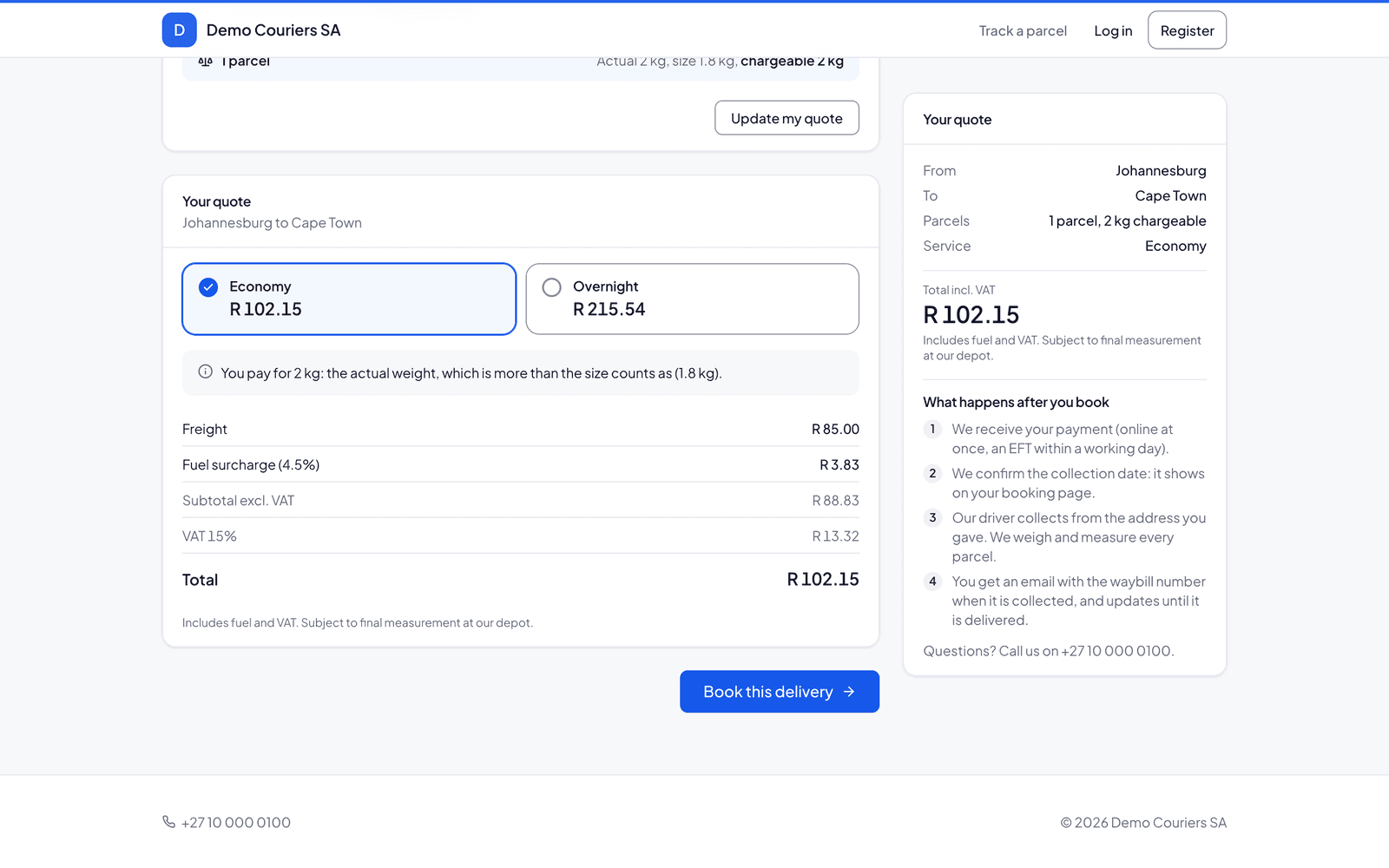
Your own quote, book and pay page
Put a Get a Quote button on your website. Customers price, book and pay online by card or EFT, at your rates, on your page. If their town isn't listed, they ask you on WhatsApp in two taps. You switch it on or off in Settings.
- Branded as your business, with your documents and policies
- Prices from your own rate cards, for the towns and services you choose to offer
- Pay by card (PayFast or Paystack) or EFT, into your own account
- The price is locked: a booking never costs more than the quote shown
- Each booking records which version of your terms was accepted
- Bookings land in Online Bookings for you to accept
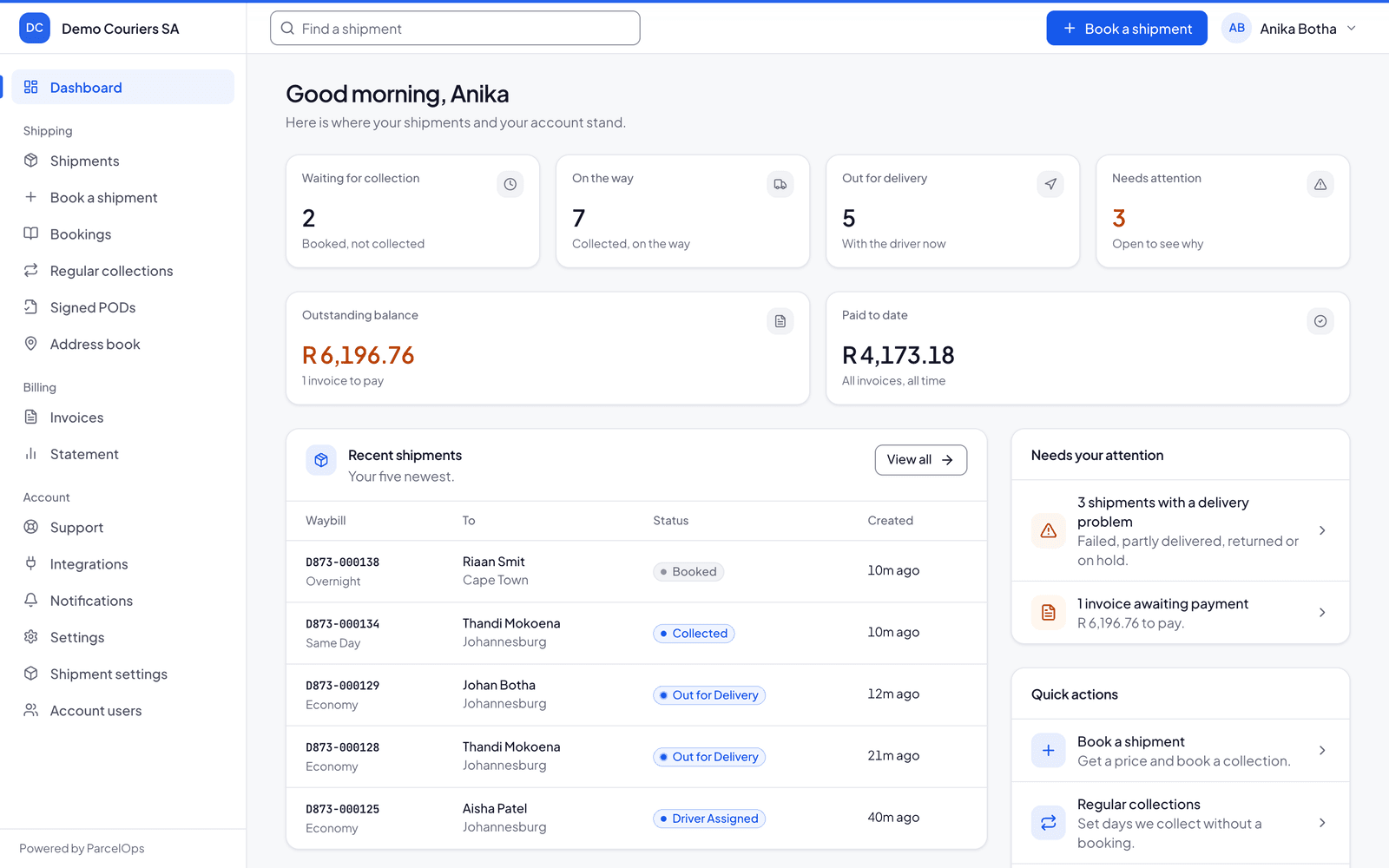
Customer Booking Portal
A branded self-service portal for your customers. They book collections, track parcels, pay and download their documents without calling your ops team.
- Self-service booking and regular collections
- Real-time parcel tracking
- Invoices, statements and signed PODs to download
- Prepaid wallet with top-ups
- Support tickets and account users
- API keys and webhooks for customers who integrate
Hand parcels to partner couriers
Some parcels go further than your vans. Seal the manifest and the partner gets the booking, your labels and theirs, and you get their tracking and PODs back on your waybill. Your clients stay yours: partners never see who the customer is.
- Booking sent by the partner's API or by file exchange when the manifest is sealed
- Tracking and proof of delivery come back onto your waybill
- Partners see your company and depot, never your client
- Your customers get your paperwork, not the partner's
- Record what each partner charges you and see the margin
- Check in parcels that another courier hands to you
- 1
You seal the manifest
The parcels are on your waybills, at your depot, for your client.
- 2
The partner gets the booking
Sent by their system's API or by file exchange, with your label and theirs.
- 3
Tracking and PODs come back
They appear on your waybill and in your customer's tracking, under your name.
- 4
You bill your client as usual
What the partner charges you is recorded beside the price, so you see the margin.
The partner sees
Your company and your depot as the sender.
The partner never sees
Who your client is. Your clients stay yours.
Ask ParcelOps
Ask a question about your own operation in plain English (which customers are we losing money on, how many deliveries missed their promised day this week) and get the answer with a chart, drawn only from your reports. It names the report it used every time.
- Plain-English questions about profit, on-time delivery, returns, drivers, towns, volume and money owed
- Runs your own reports under your permissions; the AI never computes a figure
- Charts drawn from the report's rows, with a link to the report screen
- Follow-up questions keep the thread
- Included in every plan, with a fair-use daily allowance
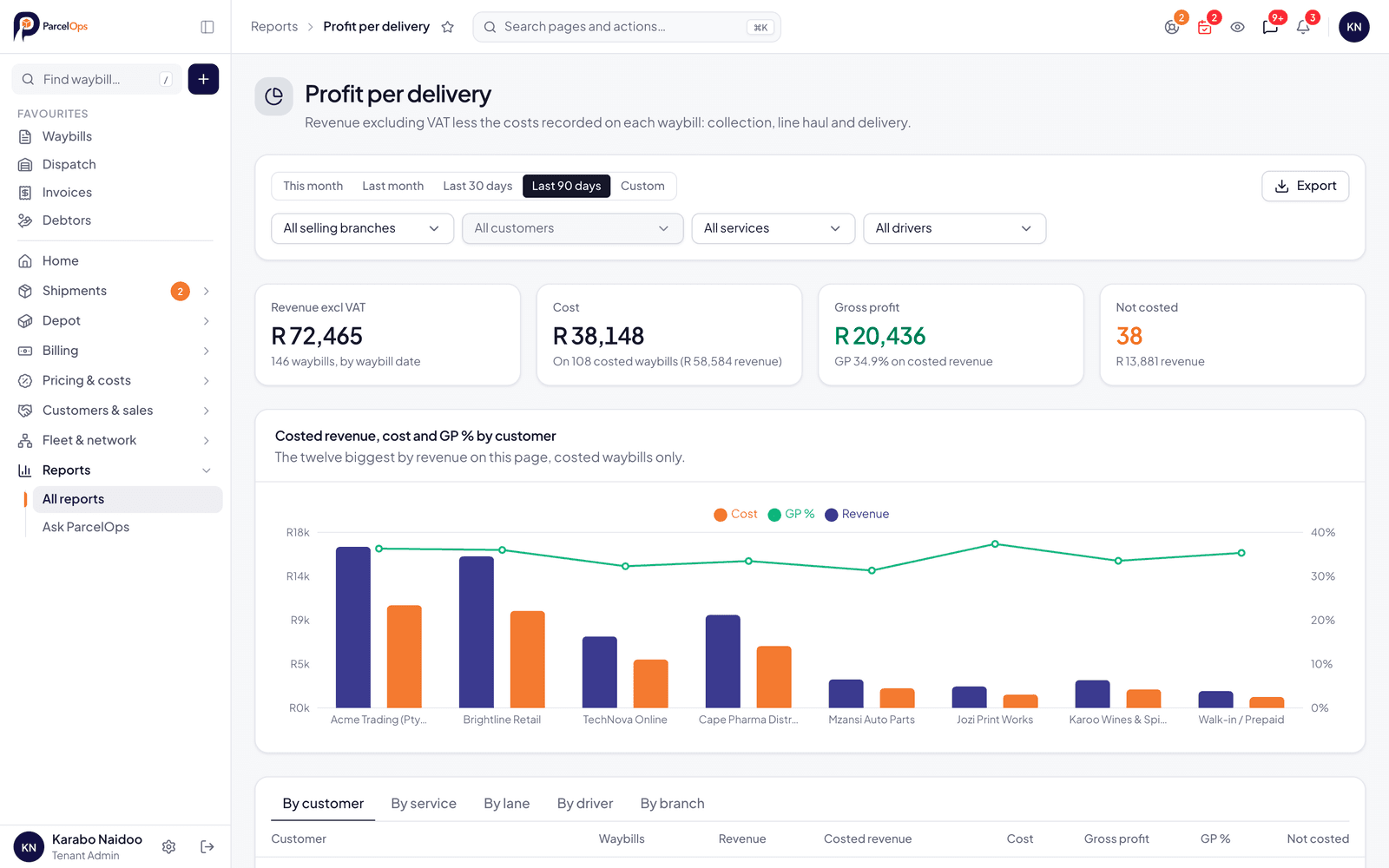
Reports & Analytics
Operational and financial reports built for courier businesses: on-time delivery against the promised days, profit on every delivery, 12-month turnover, drivers and towns. The numbers you actually need.
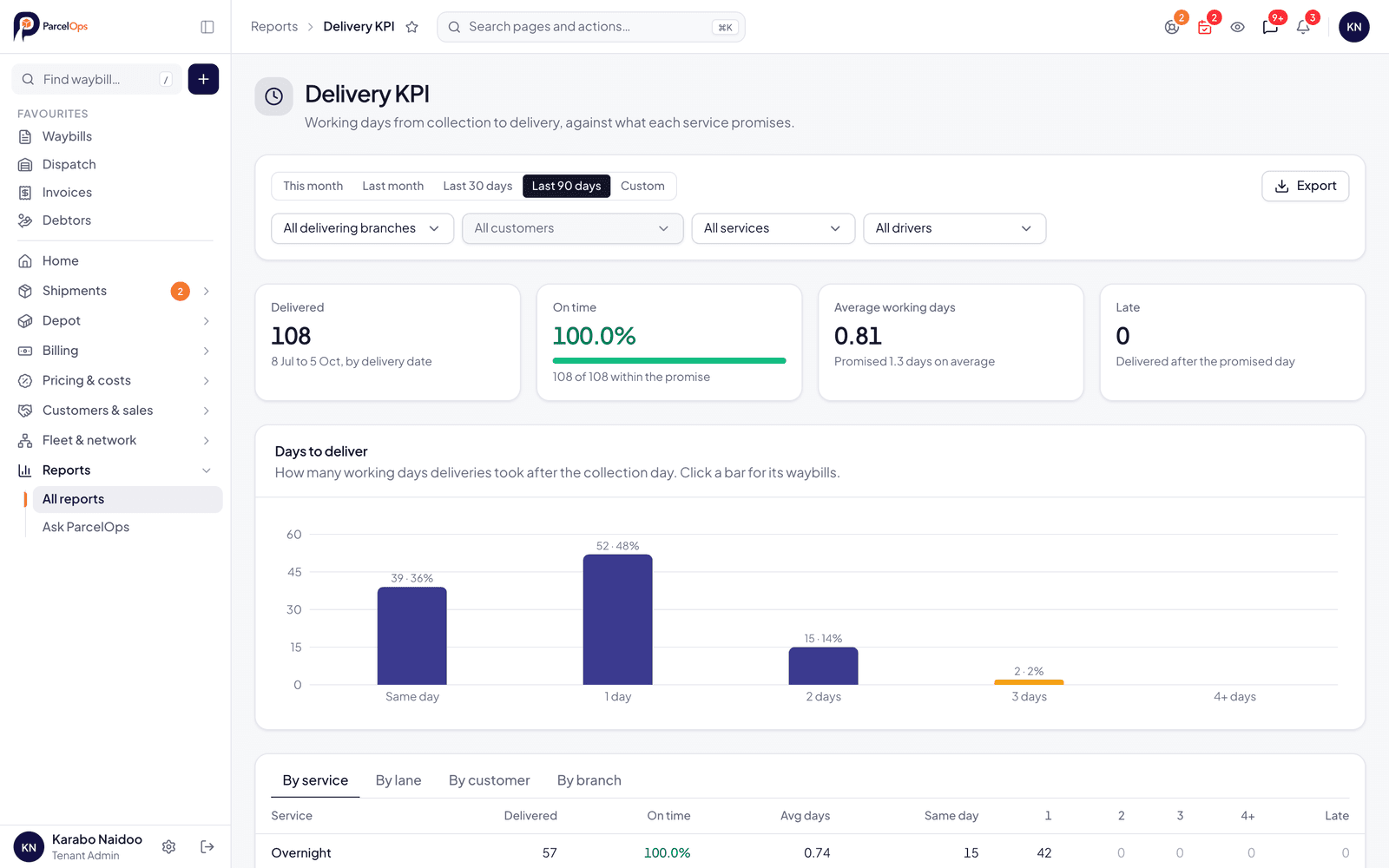
- Delivery KPI: on time against each service's promise
- Profit per delivery, with uncosted work listed apart
- 12-month turnover with year-on-year change
- Drivers and towns, returns, surcharges, sales and productivity
- Missing PODs by branch
- Export any report to CSV
Discuss: Internal Messaging
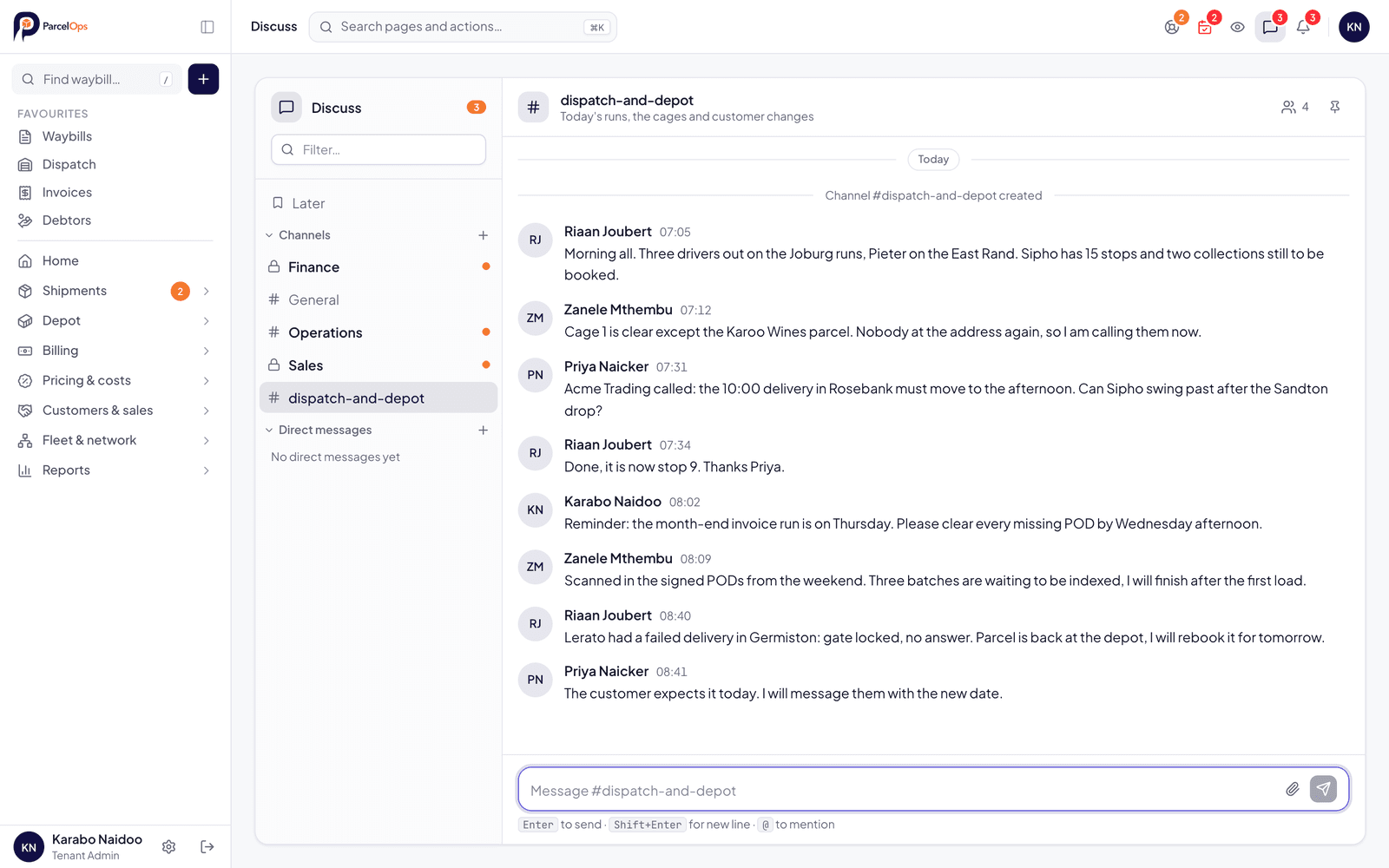
A Slack-style internal messaging system built directly into ParcelOps. Keep your ops and finance teams aligned without switching apps.
- Channels & direct messages
- File & image attachments
- Message reactions & pins
- Typing indicators & presence
- Message reminders
Permissions & Security
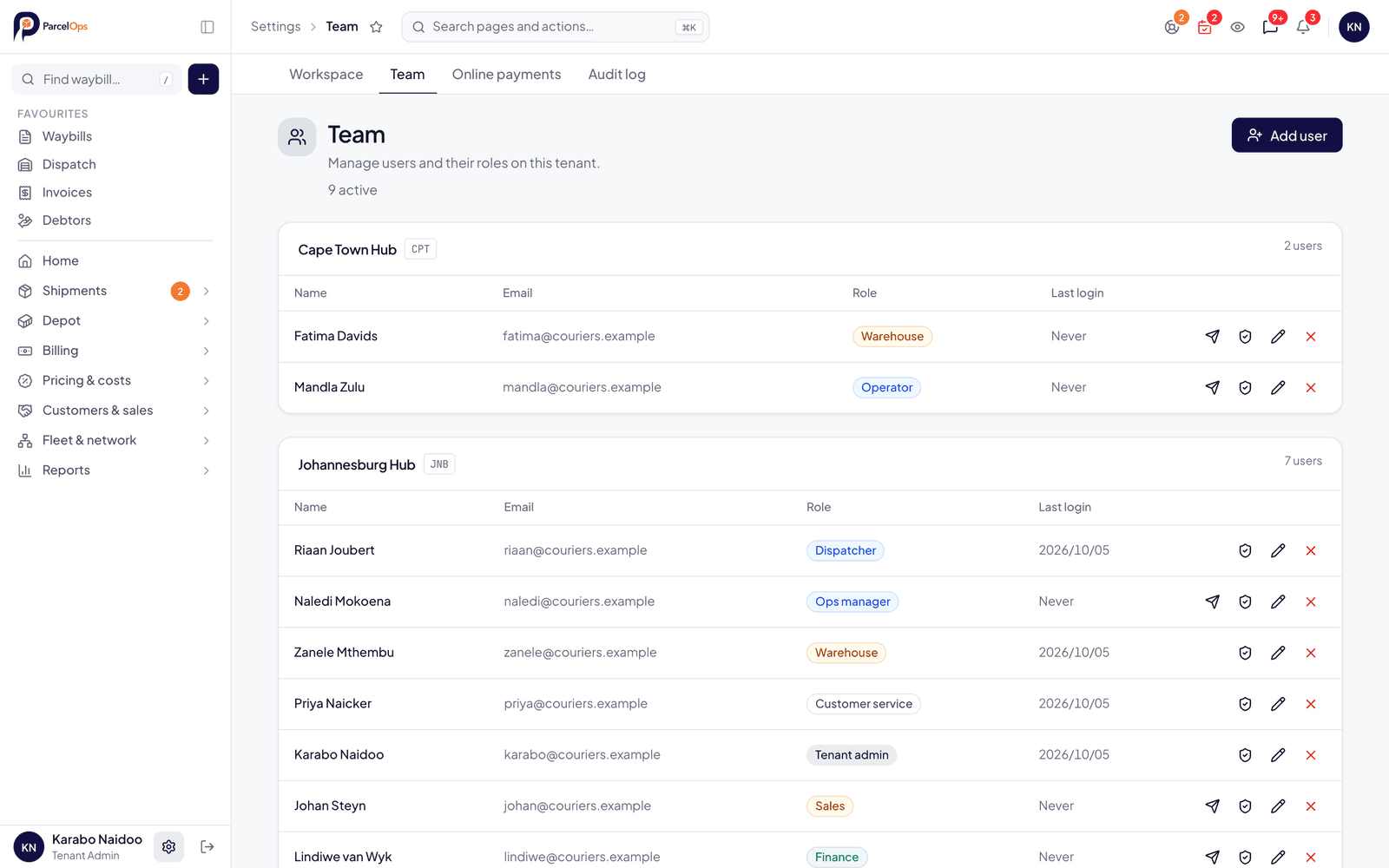
Roles for every desk: dispatch, warehouse, finance, sales, customer service and drivers, with per-person overrides. Every change goes in the audit log.
- Roles for every desk, with per-person overrides
- Full audit log
- Multi-factor sign-in for staff
- POPIA compliant data handling, hosted in South Africa
Complete feature index
Everything in the box
Checking ParcelOps against a requirements list? Here is every capability in the platform, all included in one plan and nothing sold as an add-on.
Operations & dispatch
- Collection scheduling, incl. regular collections
- Dispatch console with live trip and phone statuses
- Printable driver trip sheets (PDF)
- Manifests & consolidations (master and child waybills)
- Barcode scanning, piece stickers & hub scan stations
- Depot floor, cages and stock takes
- Undelivered report with reasons and locations
- Driver debrief & end-of-day reconciliation
- GPS route optimisation on real SA roads
- Live driver & fleet tracking
- Multi-hub operations
Proof of delivery
- Signature and up to three photos
- Photo-only proof when nobody can sign
- Scanned paper PODs filed at the keyboard
- Scan to email, with a waiting list to file from
- POD handover report and email per customer
- Missing PODs by branch
- Customers download PODs from the portal
Returns & problem deliveries
- Return-to-sender & return-to-hub workflows
- Failed delivery logging (reason, photo, GPS, suggested next step)
- Redelivery scheduling and same-day retry requests
- Partial delivery: some parcels now, the rest later
- Returns report
- Special instructions & handling flags
- Incident & claims management
- Weigh audits & delivery QC
Imports, exports & integrations
- Bulk waybill CSV import (template + dry-run validation)
- Weight & customs CSV imports
- Customer & tariff CSV imports
- CSV export on reports & data grids
- Accounting export: Pastel, Sage, Xero or generic CSV
- REST API & webhooks
- WooCommerce plugin: live checkout rates, booking and tracking
- Shopify app: courier prices on every order, booking, tracking and labels
- Partner courier handover by API or file exchange
- Email-to-ticket support inbox
- PayFast & Paystack online payments
Rates & billing
- Rate cards for zones, towns, weight and dimensions
- Fuel surcharge changed across all cards at once
- Dated price increases
- Town surcharges, tolls and extra services
- Customer rate card as a PDF
- Per-customer cards, clone and bulk re-rate with history
- Automated invoice runs and month-end checks
- Credit notes & receipt allocation
- Quotations with convert-to-waybill
- Agent & partner cost management
- Sales-rep commissions
Debtors & statements
- Debtors worklist with ageing
- Calls, notes and promises with follow-up days
- Account status: stop credit, handed over, closed
- Statements, incl. customer groups
- Bulk statements and invoices by email
- Credit limits with an audited finance override
- Uninvoiced tracking & accumulator
Customer experience
- White-label self-service booking portal
- Your own quote, book and pay page
- Live parcel tracking
- Invoices, statements & signed PODs
- Regular collections in the portal
- Prepaid wallet with top-ups
- Online card payments
- Address book management
- Support ticketing & CRM pipeline
Reports
- Delivery KPI against promised days
- Profit per delivery
- 12-month turnover
- Drivers and towns
- Returns, surcharges, sales and productivity
- Missing PODs by branch
- Ask ParcelOps: questions answered from these reports
Team, security & admin
- Roles for every desk, with per-person overrides
- Full audit log
- Staff multi-factor authentication
- POPIA-compliant, hosted in South Africa
- Automated database backups
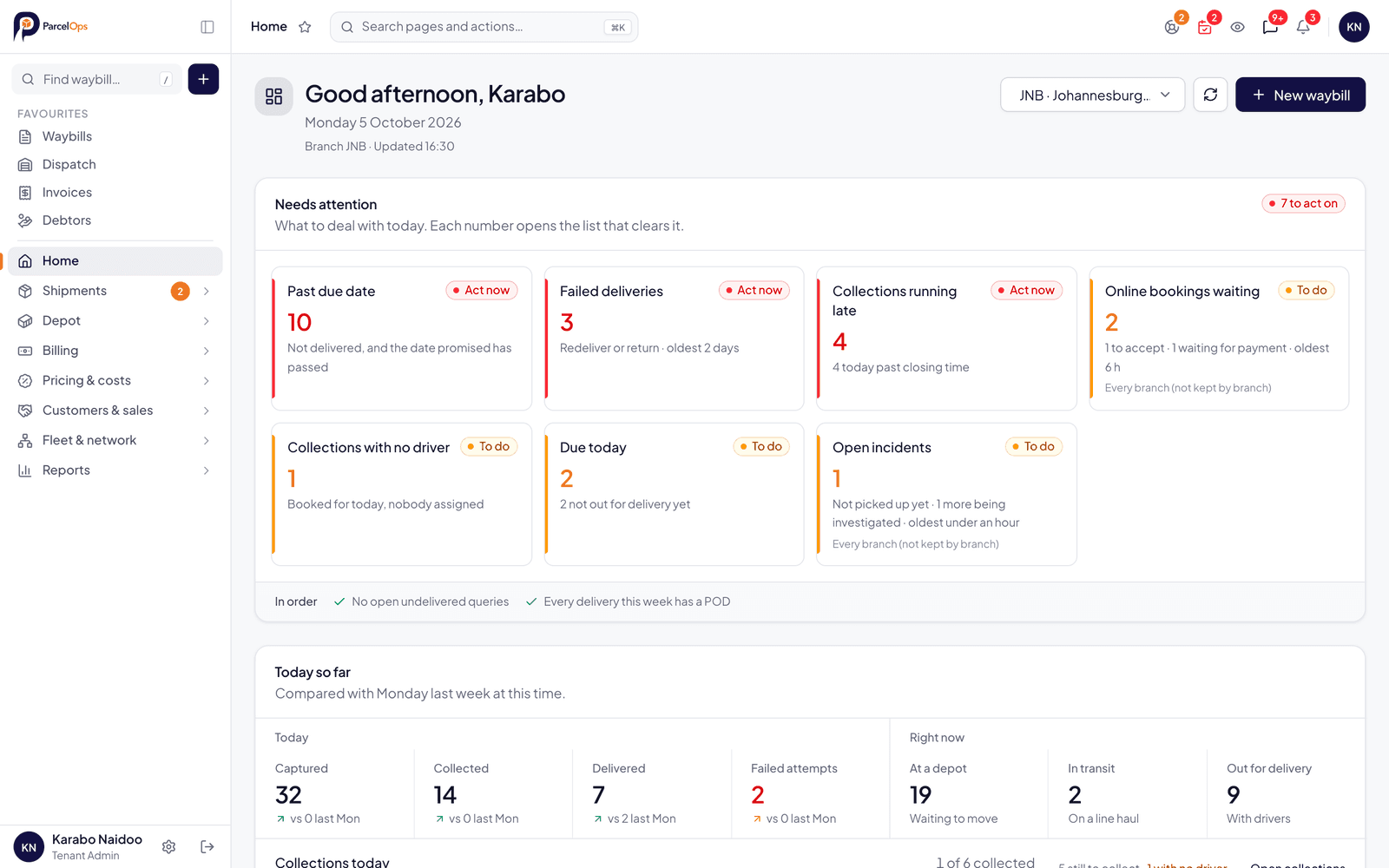
- Home dashboard: what needs attention today
- Discuss: built-in team messaging
- Driver app on the App Store, on Google Play and in the phone's browser
Missing something you need? We build with our customers. Tell us what your operation requires.
Read how it works in the dispatch software, white-label portal and freight management pages, or see how pricing works.
Get started
See it all in action
Start a free trial to explore every module, or book a demo and we'll walk you through the platform.